
Text or logo mode
Switch between typed text overlays and uploaded logo images.
bulkimage.io batch editor
Add text or logo overlays with consistent position and opacity across every photo in your queue. Watermarks stay on your device; chain compress, resize, or crop when you're done.
No signup required. Supports JPG, PNG, WebP, GIF, and BMP.
Drop images to start
JPG, PNG, WebP, GIF, or BMP — select as many as you need.
Protecting portfolios, stock previews, and client deliverables means repeating the same overlay on dozens or hundreds of files. bulkimage.io bulk image watermark applies one text or logo configuration across your entire queue — no manual placement in desktop apps.
Unlike watermark-only utilities, bulkimage.io embeds overlays inside the full batch editor. Finish the watermark pass, then switch to compress, resize, crop, or rename without re-uploading the same files.
Four steps from an unmarked folder to protected deliverables.
Drag in a folder or select multiple photos. They load into the batch editor ready for bulk image watermark.
Enter text or upload a logo. Set font size, color, opacity, and scale.
Pick a corner, center, or edge from the grid — or drag to a custom position on the preview.
Download watermarked files, or switch to compress, resize, or crop — no re-upload needed.
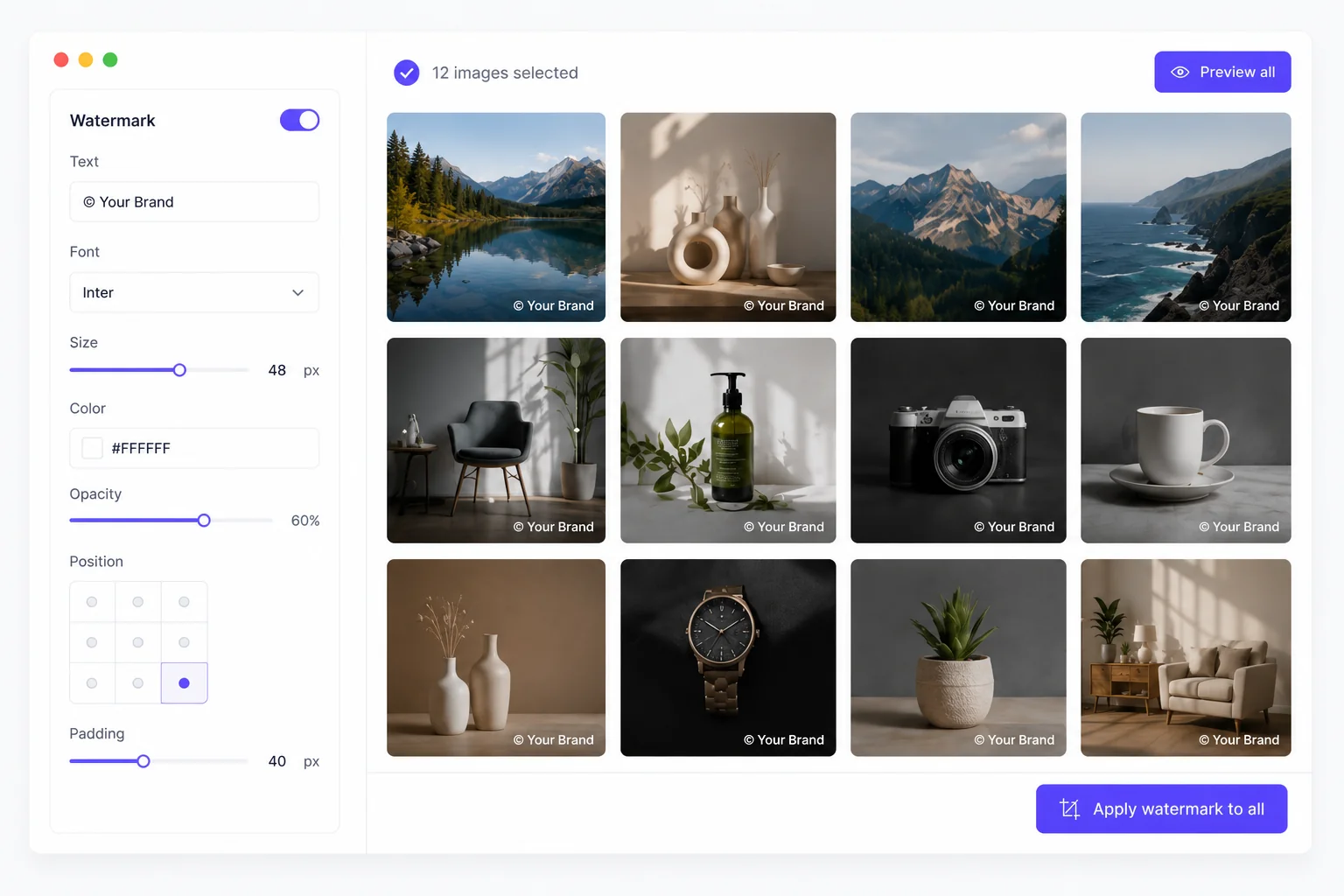
bulkimage.io batch editor
Type copyright lines, brand names, or @handles with font size and color controls.
Upload a PNG or JPG logo and scale it uniformly across every image in the batch.
Pick from nine preset positions or drag the watermark to an exact spot on the preview.
bulkimage.io batch editor
When you need to watermark multiple photos at once, bulkimage.io offers clear advantages:
Type copyright lines, brand names, or @handles with font size and color controls.
Upload a PNG or JPG logo and scale it uniformly across every image in the batch.
Switch between typed text overlays and uploaded logo images.
Nine preset positions plus custom drag placement on the preview.
Fine-tune overlay visibility and size for readable but unobtrusive marks.
Standard watermarks run in your browser — files stay on-device.
Bulk Image Watermark
Bulk image watermark fits any workflow where assets need protection or branding.
Mark proof galleries and client previews before final delivery.
Apply consistent preview watermarks across large submission batches.
Brand product photos before sharing with distributors or marketplaces.
Protect work-in-progress creative before client sign-off.
Add @handles or brand marks to content batches before scheduling.
Stamp confidential or draft labels on screenshot and scan folders.
Follow these tips to get the most out of bulk image watermark.
White text on dark photos and dark text on light backgrounds stay readable at any size.
Enough to deter misuse without hiding the underlying image detail.
Bottom-right is the standard placement — consistent across the batch builds trust.
Export watermarked files, then switch to compress for lighter web delivery.
When you need to watermark multiple photos at once, bulkimage.io offers clear advantages:
Watermarks run in your browser with no upload wait — dozens to hundreds of images in minutes.
Text labels, logo uploads, position grid, opacity, and scale cover every batch overlay need.
One configuration applies to the full batch, ensuring every file shares the same watermark placement.
After watermarking, switch to compress, resize, crop, or rename without starting over.
Standard watermarks never upload to our servers — your photos stay on-device.
Core bulk image watermark is free with clean output ready for commercial workflows.
Whether you are protecting proofs, branding products, or marking drafts, bulkimage.io Bulk Image Watermark gets batch overlays done in a few clicks.
bulkimage.io
Upload images above to begin batch watermarking, or open the editor to mix watermark with other bulk steps.