
Online bulk image editor, no install required
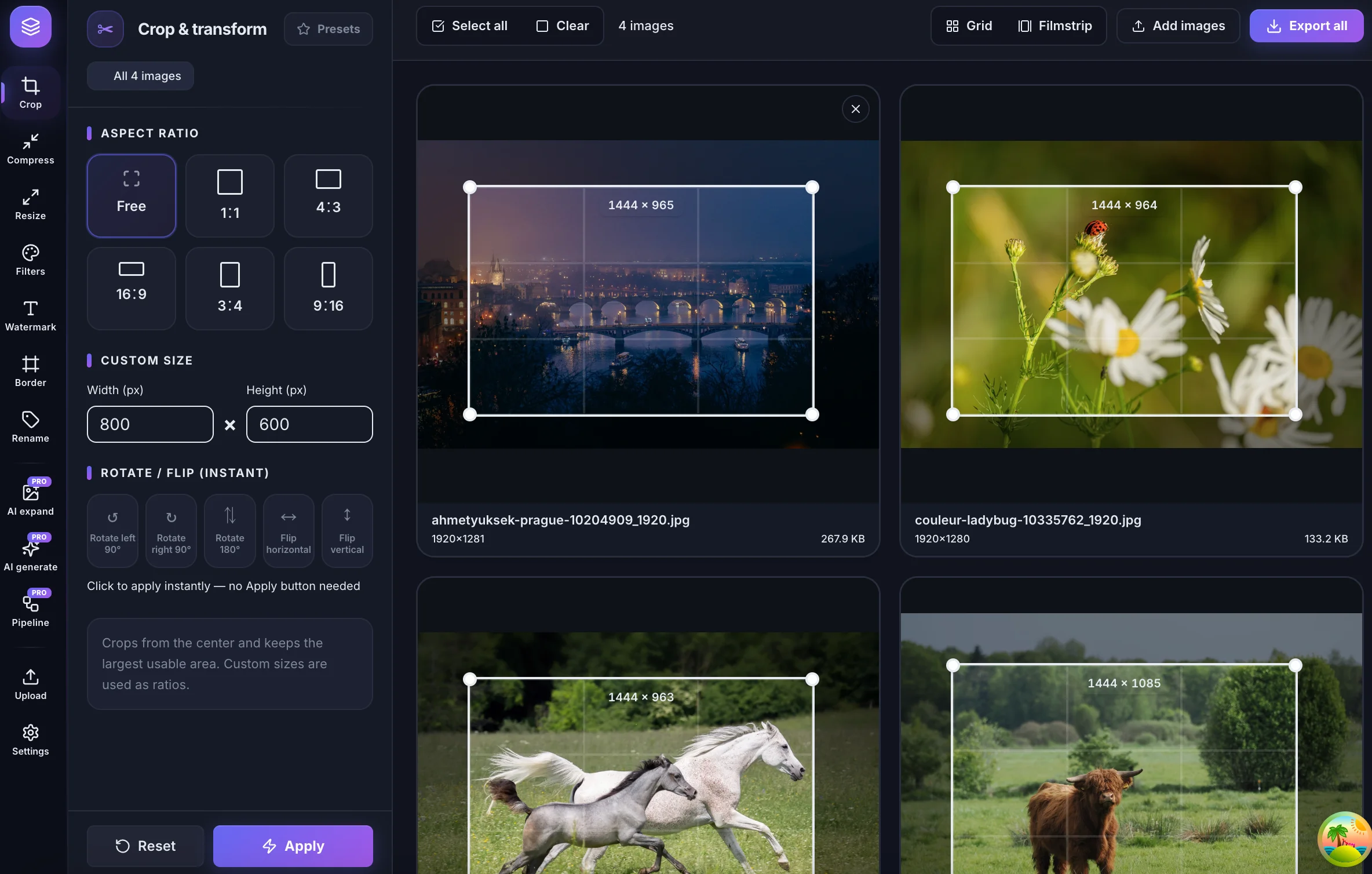
Crop, compress, resize, watermark, rename, and convert hundreds of files in one browser-based batch image editor. Core tools run locally on your device for fast, private bulk image processing.
No signup required for core tools. Supports JPG, PNG, WebP, GIF, and BMP.
What is bulk image processing in an online batch image editor?
Bulk image processing means applying the same edit — crop, compress, resize, watermark, rename, or filter — to dozens or hundreds of files at once instead of opening each image separately. Teams use an online batch image editor when folders of assets must meet consistent size, format, or naming rules before publishing.
bulkimage.io is a browser-based bulk image editor and batch image editor for recurring image workflows. Core tools run locally on your device, so standard workflows stay fast and private. Upload once, process the whole queue, and chain multiple steps before you download.
No install, runs in the browser
Open the editor on any desktop or tablet. Core image work happens locally without heavyweight desktop software.
Chain tools in one session
Crop, then compress, then watermark — without re-uploading. Pro users can save multi-step pipelines for recurring image batch jobs.
Online batch image editing tools
Each tool supports batch processing in the online bulk image editor — pick one to start, or chain steps in the full editor.
Bulk crop
Trim image sets to one ratio, one frame, one repeatable standard
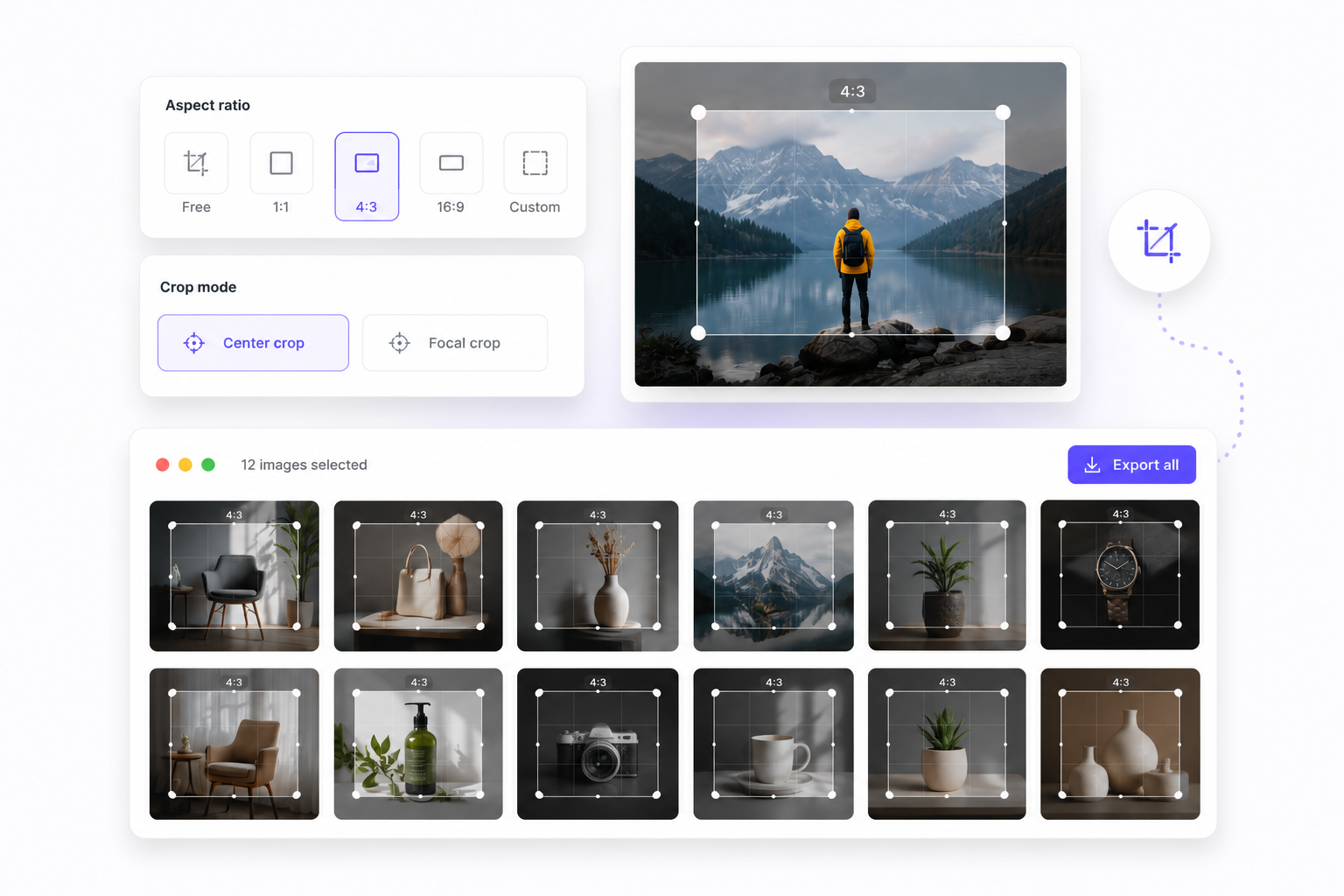
Fixed ratio presets
Apply 1:1, 4:3, 16:9, or custom ratios across every selected image in one pass.
Center or focal crop
Keep framing consistent for product photos, blog covers, and marketplace assets.
Preview before export
See the crop grid on every file before you bake changes and download the batch.
Compress
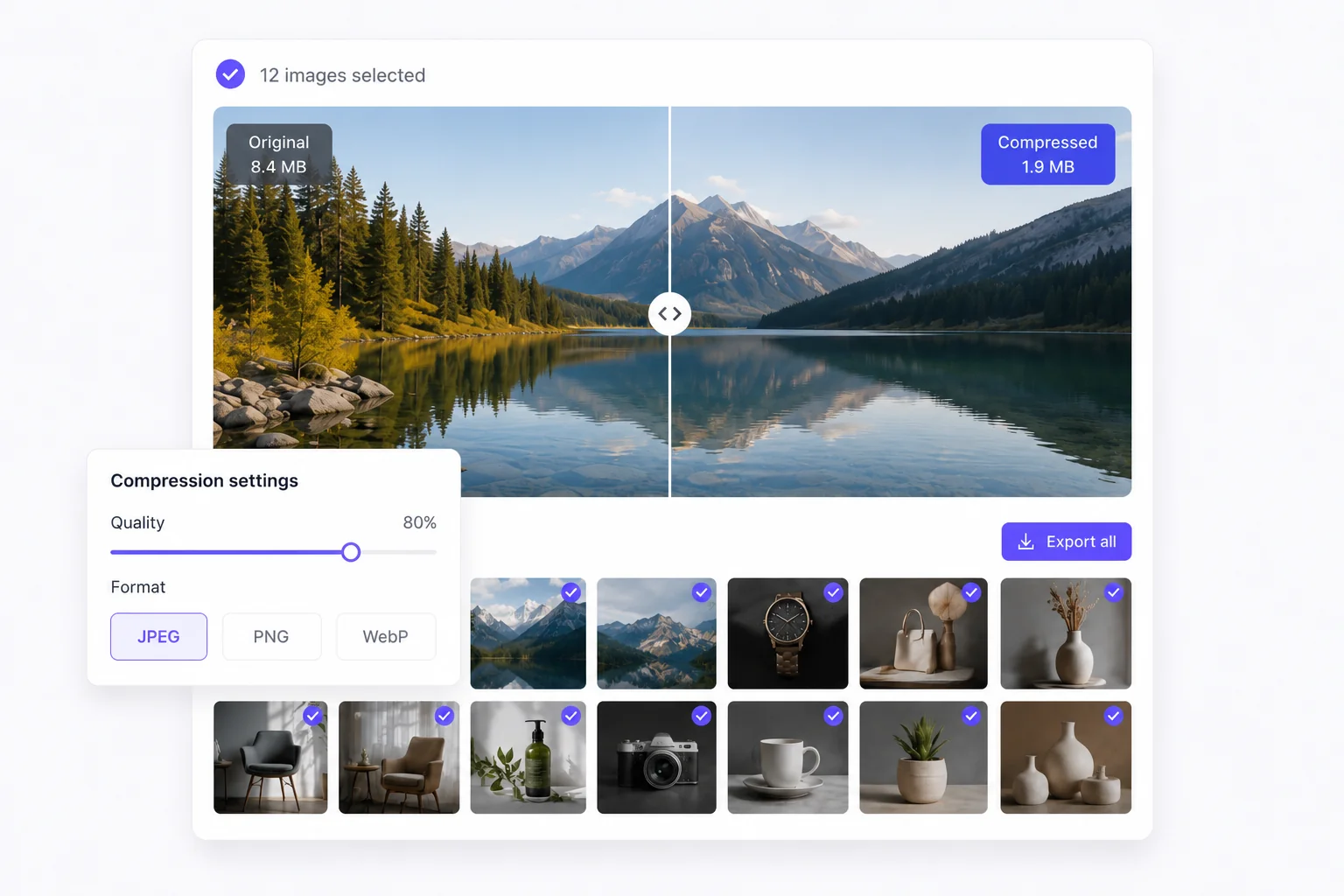
Shrink file weight without opening images one by one
Quality-controlled output
Tune JPEG, PNG, or WebP compression and keep visual quality predictable across the batch.
Web-ready exports
Prepare lighter assets for ecommerce, docs, email, and social handoff in one run.
Resize
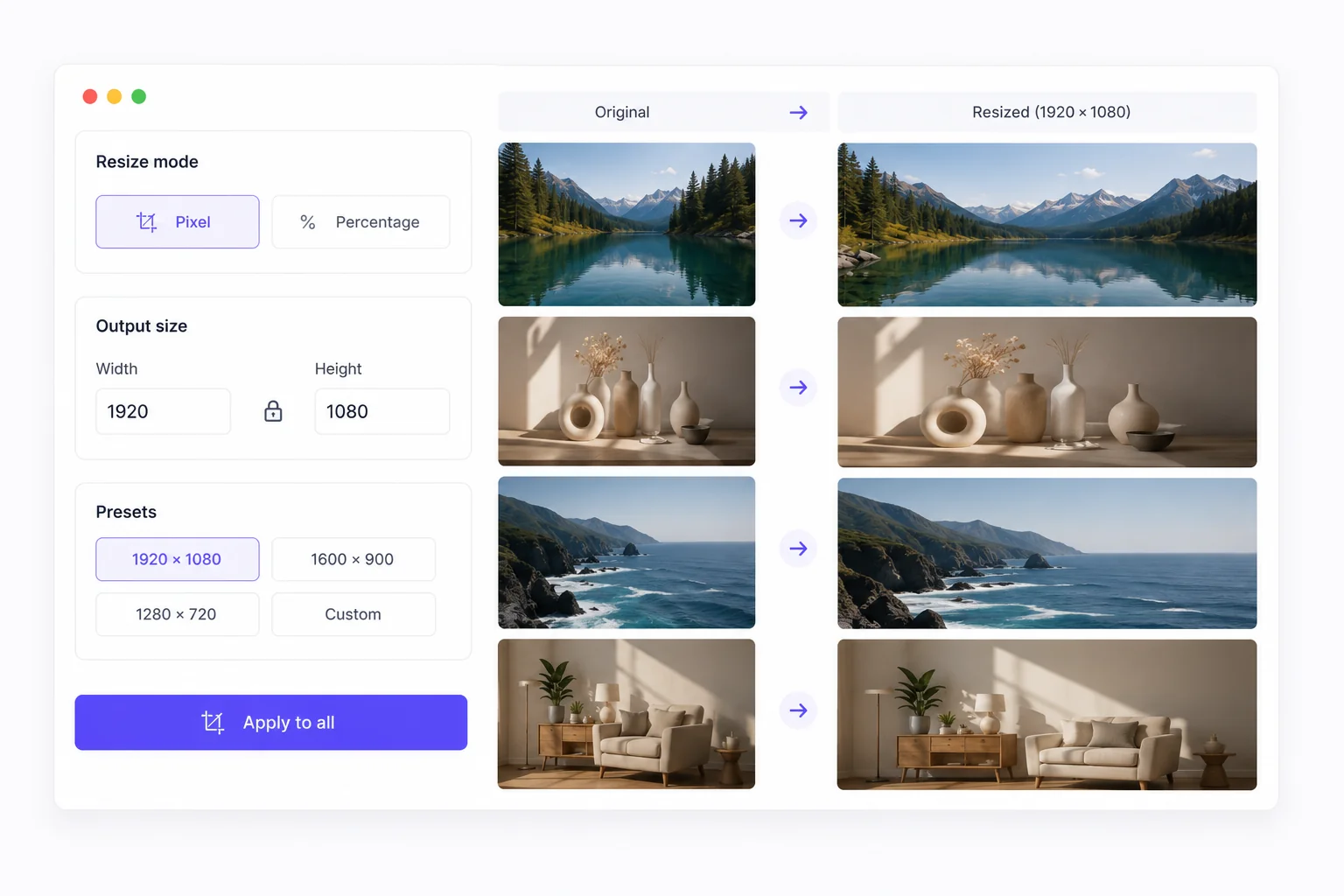
Standardize dimensions across an entire image set
Pixel or percentage resize
Set exact output dimensions or scale by percentage while keeping aspect ratio locked.
Faster publish-ready handoff
Stop manually resizing exports for every channel — configure once and apply to all.
Watermark
Stamp your batch with consistent text overlays
Text watermarks at scale
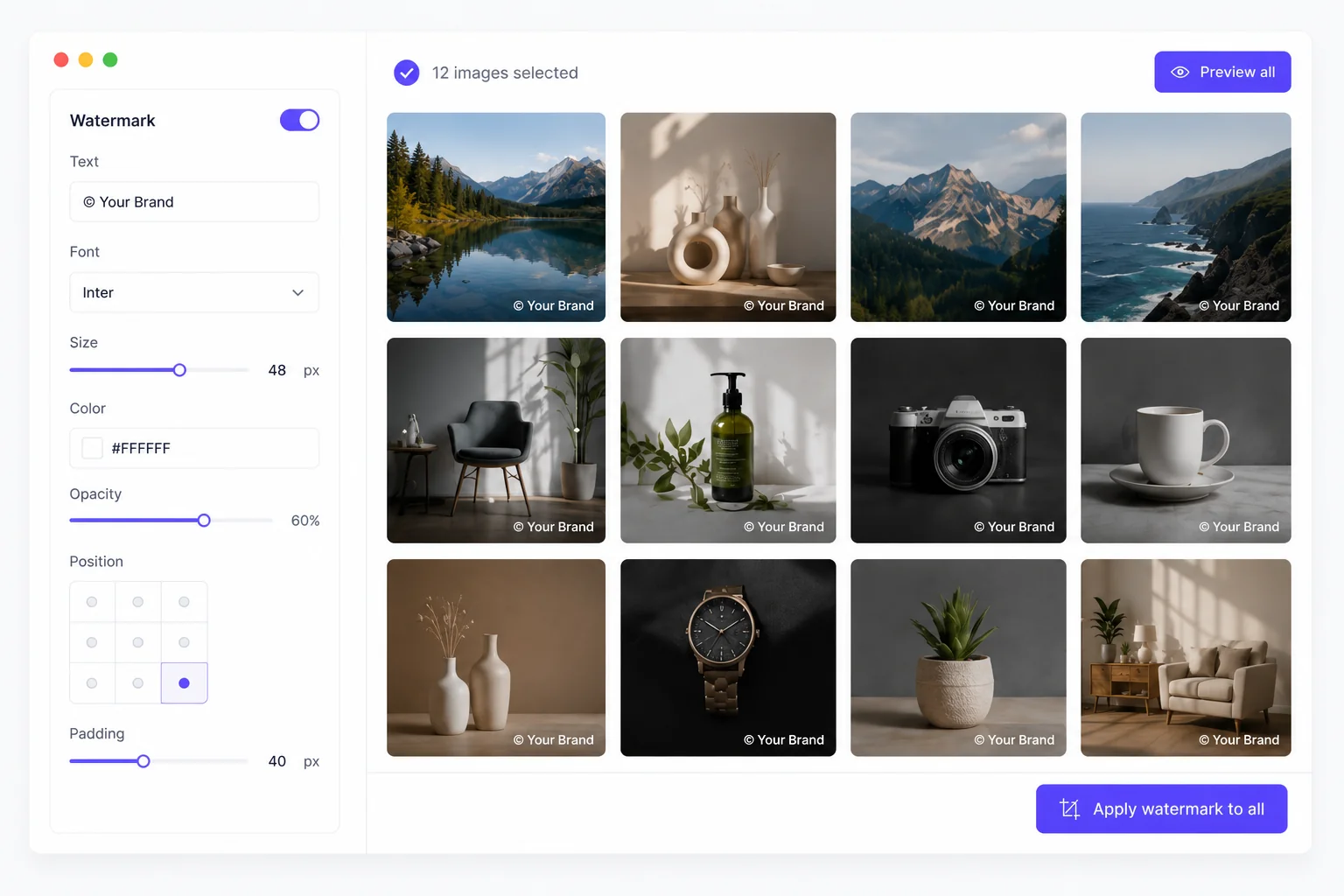
Add the same text overlay to every selected image — control opacity, position, font size, and color in one panel.
Preview before you apply
See watermark placement on each file in the preview grid before baking changes into the batch.
Rename
Keep deliverables organized before export
Prefix, suffix, and index
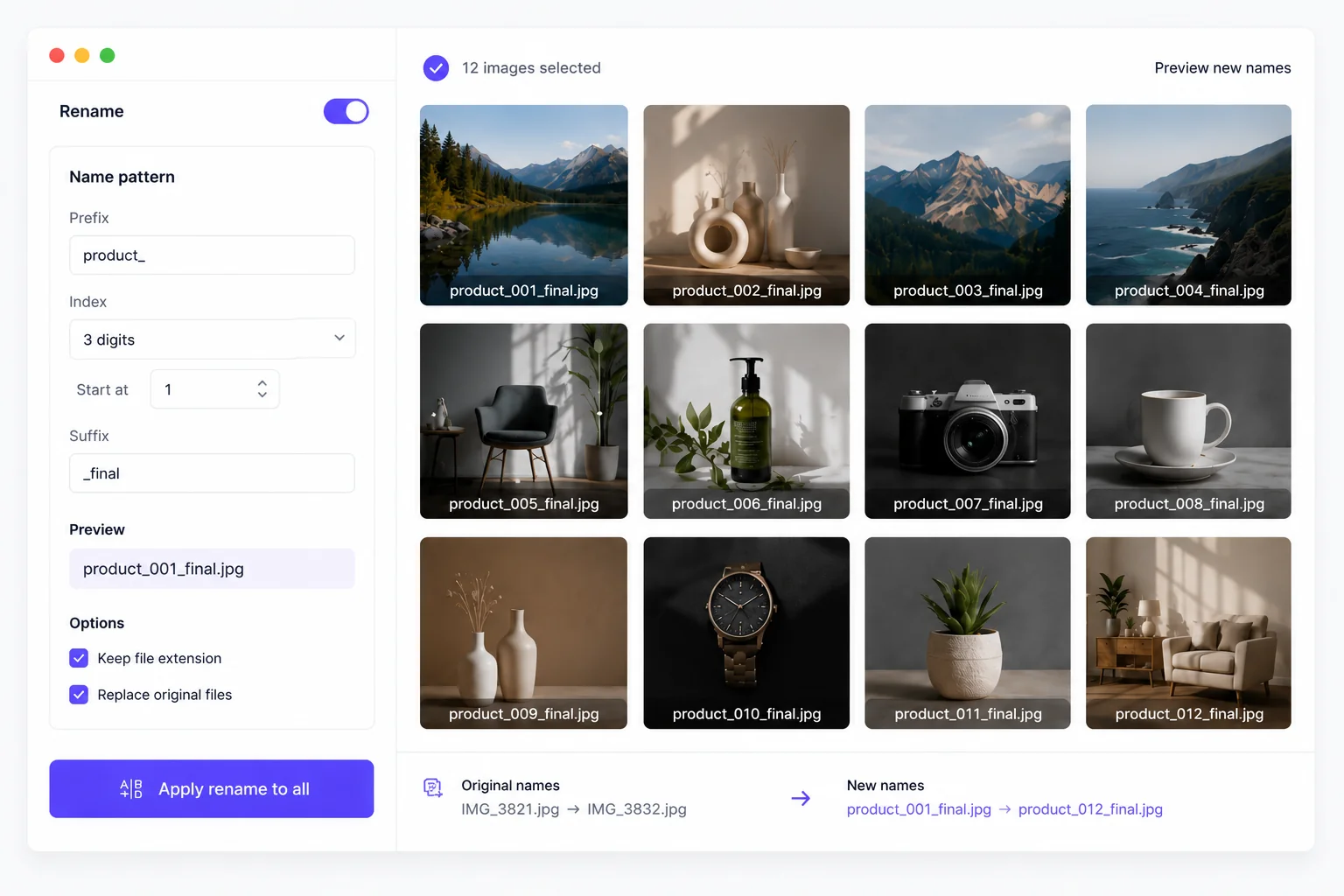
Combine prefix, suffix, and zero-padded sequential numbers so every file follows the same naming pattern.
Batch rename in one pass
Apply naming rules to the whole selection at once — no manual renaming in Finder or Explorer.
Pipelines & AI
Chain steps or upgrade with Pro workflows
Automated pipelines
Chain crop, compress, resize, and watermark into reusable multi-step pipelines.
AI expand & generate
Optional credit-based AI tools for outpainting and variations when standard edits are not enough.
Experience bulkimage.io today
Upload a folder and see results in under a minute.