
Quality control
Slider from 1–100 with labeled bands — lossless, high, balanced, or maximum compression.
bulkimage.io batch editor
Set one quality level and output format, then run it through every photo in your queue. Compression stays on your device; when you're done, chain resize, crop, or watermark in the same session.
No signup required. Supports JPG, PNG, WebP, GIF, and BMP.
Drop images to start
JPG, PNG, WebP, GIF, or BMP — select as many as you need.
Heavy image folders slow down websites, email attachments, and CMS uploads. bulkimage.io bulk image compress applies one quality and format rule across your entire queue — shrinking file weight without opening desktop apps or uploading assets to a cloud queue.
Unlike single-file compressors, bulkimage.io embeds compression inside the full batch editor. Finish the compress pass, then switch to resize, crop, watermark, or rename without re-uploading the same files.
Four steps from a heavy folder to lighter, web-ready files.
Drag in a folder or select multiple photos. They load into the batch editor ready for bulk image compress.
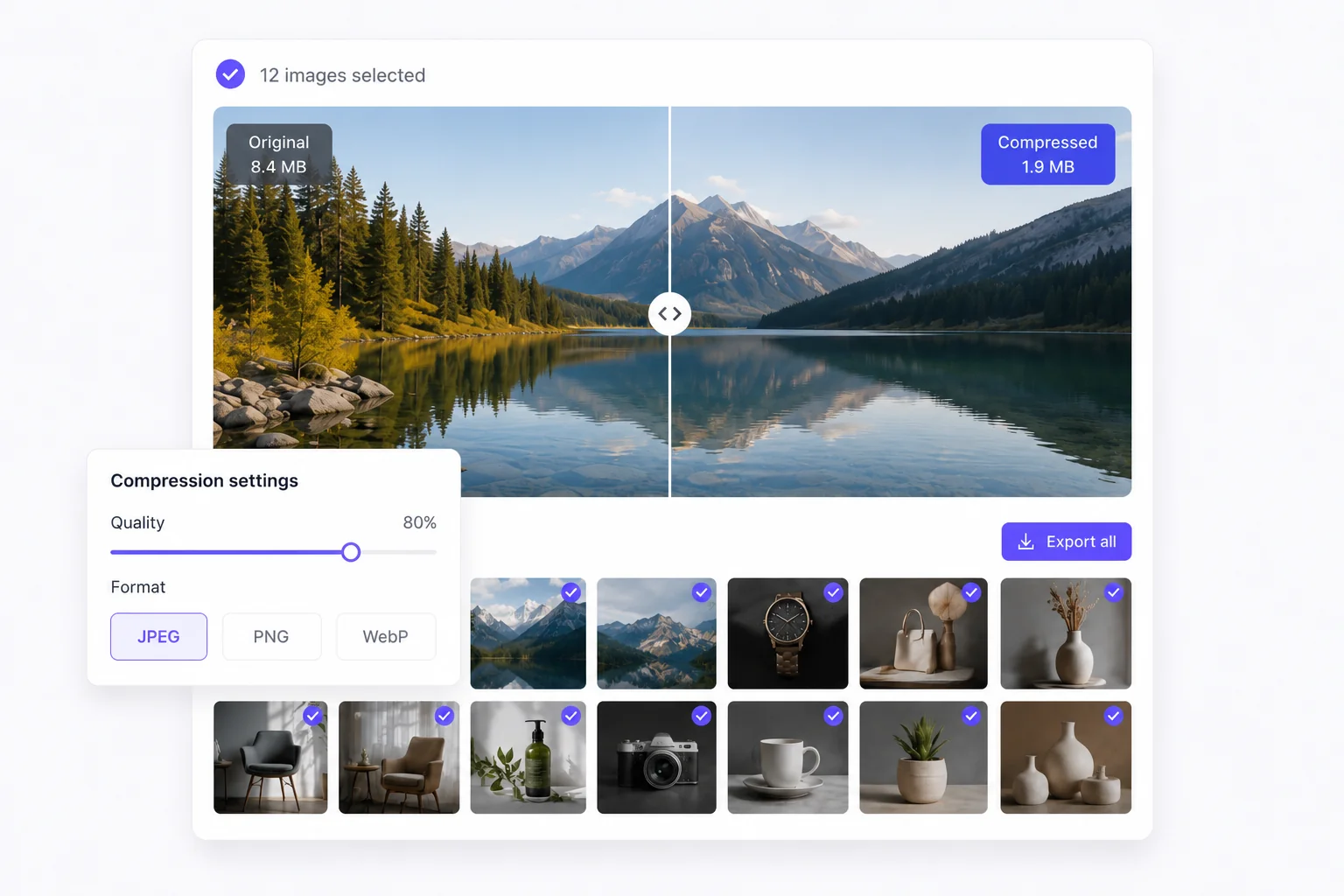
Adjust the quality slider and pick JPEG, PNG, or WebP. Review the estimated total output size.
Check file size changes on individual images before applying compression to the entire batch.
Download compressed files, or switch to resize, crop, or watermark — no re-upload needed.
bulkimage.io batch editor
Move from lossless to maximum compression with clear quality labels and a numeric readout.
Convert mixed JPG, PNG, and WebP folders to a single output format while compressing.
See projected output size for the whole batch before you apply compression.
bulkimage.io batch editor
When you need to compress multiple photos at once, bulkimage.io offers clear advantages:
Move from lossless to maximum compression with clear quality labels and a numeric readout.
Convert mixed JPG, PNG, and WebP folders to a single output format while compressing.
Slider from 1–100 with labeled bands — lossless, high, balanced, or maximum compression.
Export as JPEG, PNG, or WebP depending on transparency and web performance needs.
Preview projected total output size before applying to the full batch.
Standard compression runs in your browser — files stay on-device.
Bulk Image Compress
Bulk image compress fits any high-volume workflow where file weight matters.
Shrink SKU image folders for faster storefront loads without sacrificing listing quality.
Prepare lighter hero images and inline photos to improve Core Web Vitals and reader experience.
Keep attachment sizes under provider limits while maintaining crisp visuals in campaigns.
Compress batches before scheduling posts across Instagram, LinkedIn, and other channels.
Normalize file sizes before bulk import into WordPress, Sanity, or internal asset libraries.
Quickly slim down screenshot folders and UI capture sets for docs and bug reports.
Follow these tips to get the most out of bulk image compress.
Use 80–90 for product photos, 70–80 for blog images, and lower only when file size is the top priority.
JPEG for photos, PNG when you need transparency, WebP for the best web balance of size and quality.
Spot-check compressed previews on detail-heavy images before applying settings to the full batch.
Compress after crop or resize for maximum savings — all in one editor session.
When you need to compress multiple photos at once, bulkimage.io offers clear advantages:
Compression runs in your browser with no upload wait — dozens to hundreds of images in minutes.
Quality slider, format picker, and size estimates cover every batch compression need.
One setting applies to the full batch, ensuring every file shares the same compression profile.
After compressing, switch to crop, resize, watermark, or rename without starting over.
Standard compression never uploads to our servers — your photos stay on-device.
Core bulk image compress is free with clean, watermark-free output ready for commercial publishing.
Whether you are optimizing a storefront, publishing a blog, or preparing email assets, bulkimage.io Bulk Image Compress gets batch compression done in a few clicks.
bulkimage.io
Upload images above to begin batch compression, or open the editor to mix compress with other bulk steps.