
Size presets
HD, FHD, 4K, web, square, and avatar presets for common delivery sizes.
bulkimage.io batch editor
Set exact dimensions or scale by percentage, then apply to every photo in your queue. Resizing stays on your device; when you're done, chain compress, crop, or watermark in the same session.
No signup required. Supports JPG, PNG, WebP, GIF, and BMP.
Drop images to start
JPG, PNG, WebP, GIF, or BMP — select as many as you need.
Every channel wants different dimensions — product grids, blog heroes, social posts, thumbnails. bulkimage.io bulk image resize locks one size rule and runs it through your entire queue without manual exports in desktop apps.
Unlike resize-only utilities, bulkimage.io embeds scaling inside the full batch editor. Finish the resize pass, then switch to compress, crop, watermark, or rename without re-uploading the same files.
Four steps from a mixed folder to uniformly sized files.
Drag in a folder or select multiple photos. They load into the batch editor ready for bulk image resize.
Pick a preset, enter pixel width and height, or scale by percentage. Lock aspect ratio or choose fit mode as needed.
See resized dimensions on every image before applying changes to the full batch.
Download resized files, or switch to compress, crop, or watermark — no re-upload needed.
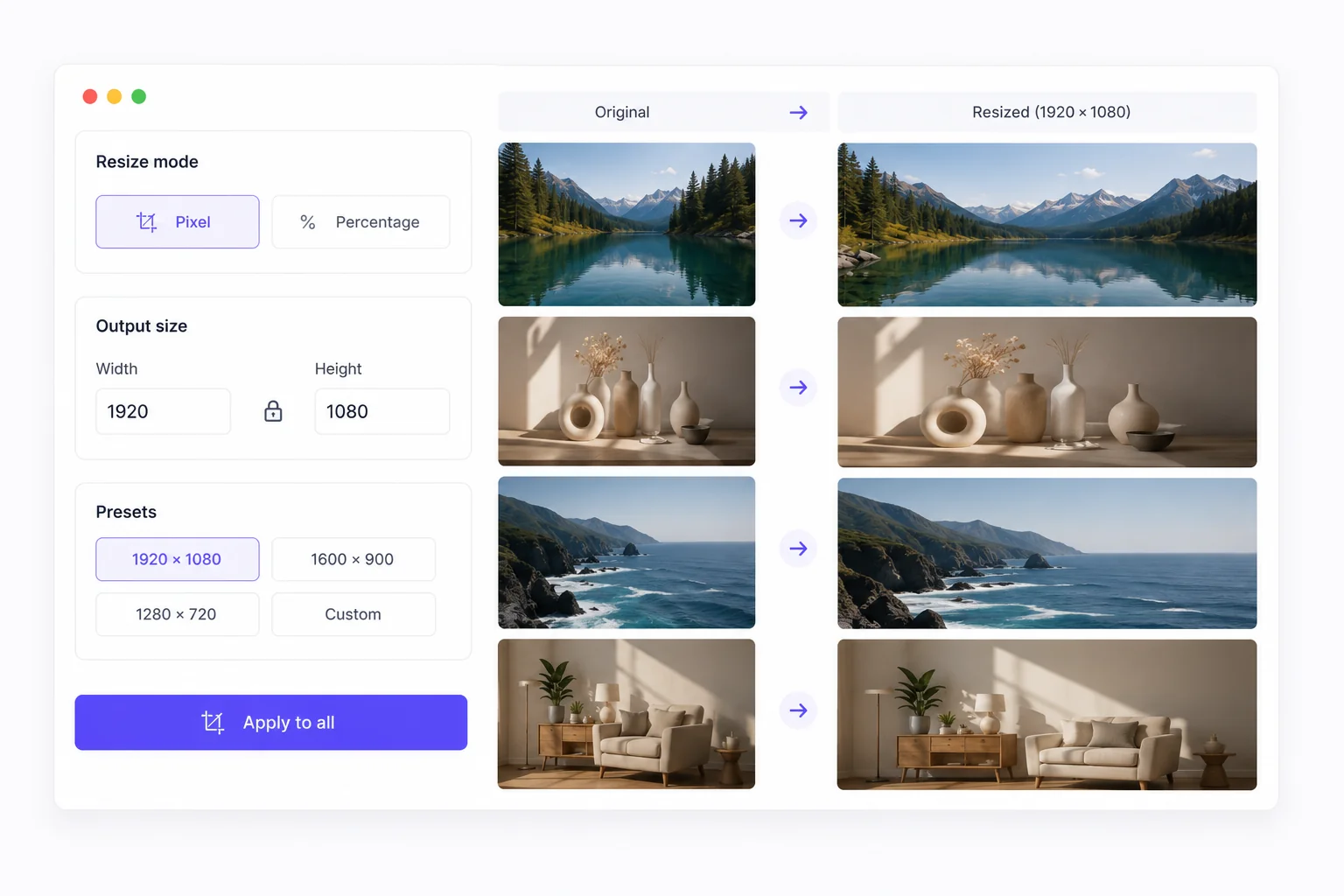
bulkimage.io batch editor
HD, FHD, 4K, web, square, and avatar presets cover the most common delivery dimensions.
Change width or height and the other dimension updates automatically to prevent distortion.
Fit images inside an exact frame with letterbox padding and a custom background color.
bulkimage.io batch editor
When you need to resize multiple photos at once, bulkimage.io offers clear advantages:
HD, FHD, 4K, web, square, and avatar presets cover the most common delivery dimensions.
Change width or height and the other dimension updates automatically to prevent distortion.
HD, FHD, 4K, web, square, and avatar presets for common delivery sizes.
Scale proportionally or fit inside a frame with padding and custom background.
One setting propagates to every image in the upload.
Standard resizing runs in your browser — files stay on-device.
Bulk Image Resize
Bulk image resize fits any high-volume workflow where dimensions must align.
Standardize SKU images to marketplace-required dimensions in one pass.
Prepare batches for Instagram squares, LinkedIn banners, and Stories at platform-ready sizes.
Generate responsive image sets and thumbnail variants from a single source folder.
Scale image sets to exact pixel dimensions for PDFs, slides, and print layouts.
Create consistent small previews for video libraries, blogs, and CMS grids.
Normalize hero images and article thumbnails before they hit the content system.
Follow these tips to get the most out of bulk image resize.
HD, FHD, and square presets cover most web and social delivery sizes — customize only when needed.
Enable lock ratio when you want every image scaled uniformly without distortion.
When every output must be exactly 1000×1000, fit mode letterboxes instead of stretching.
Resize first, then switch to compress for maximum file-size savings on the new dimensions.
When you need to resize multiple photos at once, bulkimage.io offers clear advantages:
Resizing runs in your browser with no upload wait — dozens to hundreds of images in minutes.
Presets, custom pixels, percentage scaling, lock ratio, and fit modes cover every batch need.
One setting applies to the full batch, ensuring every file shares the same output dimensions.
After resizing, switch to compress, crop, watermark, or rename without starting over.
Standard resizing never uploads to our servers — your photos stay on-device.
Core bulk image resize is free with clean, watermark-free output ready for commercial publishing.
Whether you are preparing product listings, social posts, or web assets, bulkimage.io Bulk Image Resize gets batch scaling done in a few clicks.
bulkimage.io
Upload images above to begin batch resizing, or open the editor to mix resize with other bulk steps.