

If you've ever stared at a folder of hundreds of images, these scenarios probably feel familiar: open Photoshop, crop one file, save, repeat; or crop on one website, compress on another, then rename everything by hand. Every step repeats, and none of the tools talk to each other.
bulkimage.io exists to fix one core problem:
The pain of bulk image editing isn't skill — it's fragmented workflows and tools that can't chain together.
Common pain points
- Professional software barrier — Photoshop and Lightroom are powerful, but heavy to install, expensive to license, and steep to learn. Ops and e-commerce teams often just need "crop to 1:1 and compress under 200 KB" yet install a full suite for an occasional batch job.
- One task at a time — Many online tools only crop, or only compress. After cropping 200 images, you re-upload to watermark, then switch tools to rename. The same batch bounces between sites.
- No tool chaining — The ideal flow: unify aspect ratio, compress, watermark, rename, export as ZIP. Traditional setups spread those four steps across four tools and four rounds of repetitive work.
- Inconsistent one-by-one edits — Manual per-file adjustments make it nearly impossible to keep crop boxes, compression levels, and watermark placement identical across 300 product shots.
- Privacy and collaboration overhead — Uploading client assets to unknown servers raises privacy concerns. Desktop batch scripts need IT support — non-technical teammates can't run them alone.
What is bulkimage.io
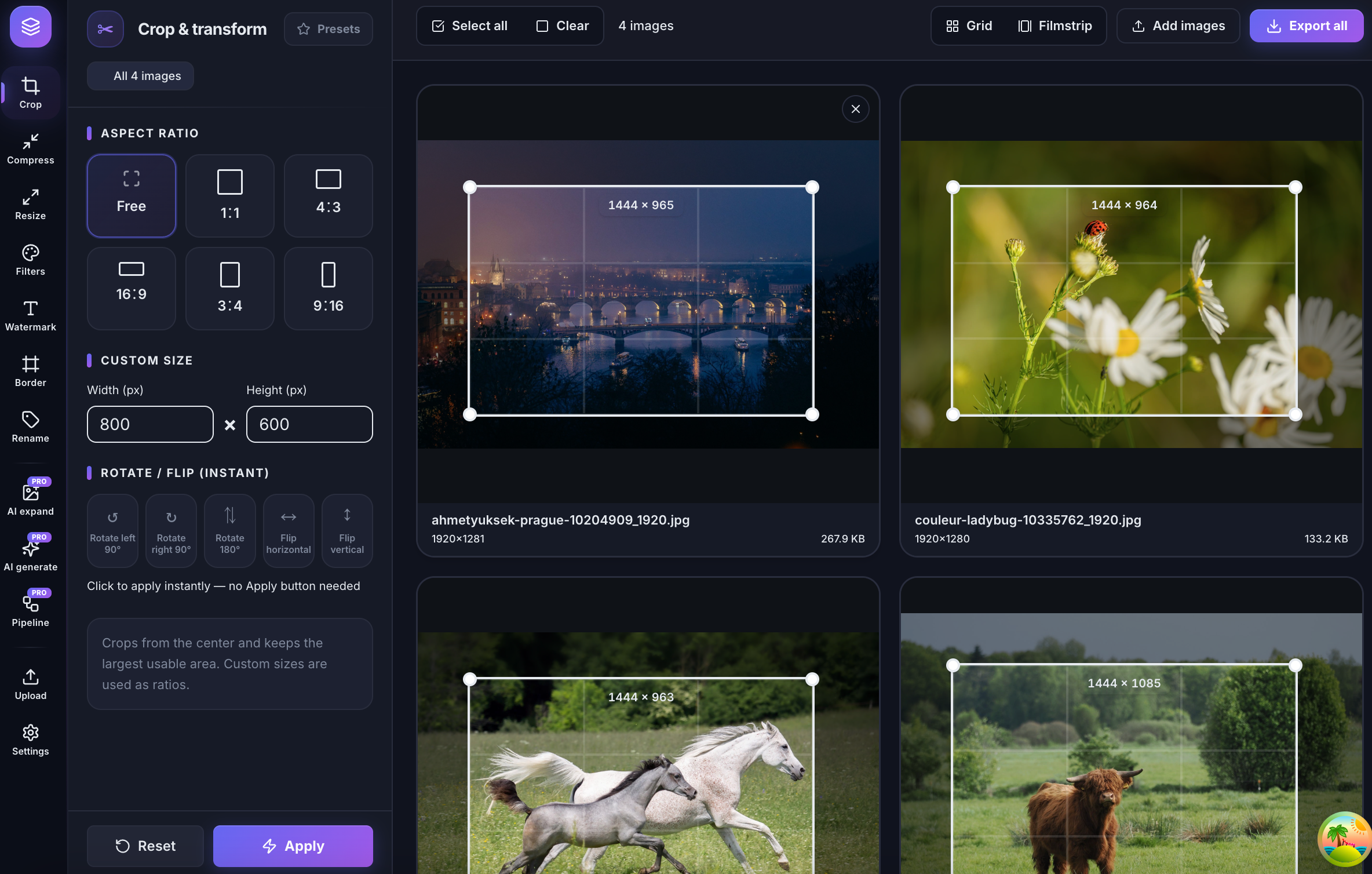
bulkimage.io is a browser-based bulk image edit and process platform. Core tools run locally on your device, so standard workflows stay fast and private. Upload once, configure once, chain multiple steps, export the whole batch.
Core advantages
- No install — open the editor in any desktop or tablet browser.
- Local processing — crop, compress, and resize run on-device; files don't need to leave your machine for standard workflows.
- Tool chaining — switch from crop to compress, watermark, resize, or rename in the same session without re-uploading.
- One config, every file — set aspect ratio, compression level, or watermark style once; apply it across the entire queue.
- Batch export — download individually or as a ZIP, with prefix and index rename patterns.
- Flexible formats — import and export JPEG, PNG, and WebP, including mixed folders.
Common workflows
- E-commerce product shots — upload batch → bulk crop (1:1 preset) → bulk compress (target KB) → rename with prefix (e.g.
sku-001-) → ZIP export. One run per SKU folder before listing. - Content and marketing — upload → bulk resize to target pixels → compress → optional watermark → export. Blog heroes, newsletter images, and campaign banners with consistent dimensions.
- Agency client deliverables — bulk crop to client ratio → compress → text watermark → ZIP delivery. No more "every file is a different size" rework.
- SaaS and product teams — bulk resize screenshots → compress UI images → watermark preview builds → rename by version number. Repeat the same pipeline every release.
Getting started
Upload batch → pick tool and set options → preview and export
In practice:
- Upload — drag a folder or select multiple JPEG, PNG, and WebP files into one queue.
- Configure — choose crop, compress, resize, watermark, or rename; settings apply to the entire batch.
- Export — review each output, download individually, or ZIP the full batch. Pro users can save multi-step pipelines for recurring jobs.
If you're still opening professional software file by file and hopping between single-purpose tools, try handing your next folder to the bulkimage.io editor. Upload once and experience bulk image editing that chains crop, compress, resize, watermark, and rename in a single session.